10 Best Apps to Sync with E‑Readers (Kindle, Kobo & Nook) — Seamless Reading Across Devices
Introduction
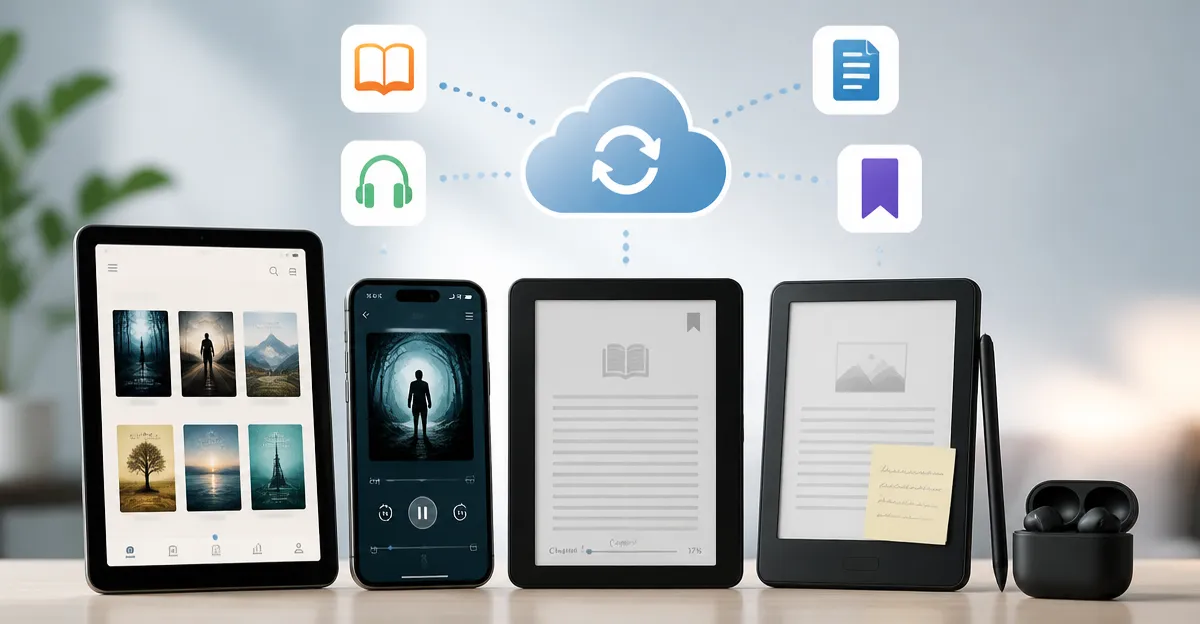
In today’s digital reading landscape, the ability to move effortlessly between a Kindle, Kobo, Nook, or any other e‑reader is no longer a luxury; it is a necessity. Readers demand that their highlights, bookmarks, and progress follow them from a tablet in the living room to a smartphone on the commute, and even to a desktop at work. Applications that provide reliable cross‑device synchronization empower users to maintain a continuous reading experience without the friction of manual exports or lost place.
The following listicle evaluates ten of the most effective apps that bridge the gap between hardware e‑readers and the myriad of devices that people carry every day. Each recommendation is grounded in authentic customer sentiment, feature analysis, and real‑world usability. Whether you are an avid audiobook listener, a college student juggling textbooks, or a casual reader who enjoys occasional highlights, these tools will help you keep your library synchronized and accessible.
-
Unified Library Access with Hoopla Library App
Hoopla connects directly to public libraries, allowing users to borrow audiobooks, e‑books, movies, and music at no cost. The app’s seamless integration with Kindle Fire devices means that a single tap can download a title and begin playback without leaving the device. One reviewer praised, "audio books have become a vital way to continue enjoying literature and science… a great service." The app also supports offline listening, which is essential for commuters. Although a few users noted occasional lock‑screen interruptions, the overall value of free, library‑sourced content makes Hoopla a cornerstone for synchronized reading across platforms.
-
Cross‑Device Sync with Kindle for Android
The Kindle app for Android remains the benchmark for cloud‑based reading synchronization. When a user switches devices, the app automatically restores the last page, notes, and bookmarks. A delighted customer wrote, "It took me right to the spot I had left off… this impresses the living daylights out of me!" The app also offers customizable fonts, themes, and a built‑in store, enabling purchases without leaving the reading environment. While privacy‑concerned users have flagged extensive permission requests, the core syncing functionality is unrivaled for Kindle owners who wish to read on tablets, phones, or desktop browsers.
-
Textbook Management via Bookshelf
Bookshelf excels for students who need to access digital textbooks from VitalSource. Users can download e‑books once and read them offline, a feature highlighted by a reviewer who said, "I am reading on the bus to and from work. No glitches, issues with signing in nor finding my school books." The app’s ability to store multiple titles and sync reading position across devices reduces the time spent juggling PDFs. Although some titles may be unavailable in the VitalSource catalog, the combination of competitive pricing and robust annotation tools makes Bookshelf a vital addition for academic readers.
-
Advanced EPUB Handling with Freda ePub Reader
Freda offers a desktop‑focused experience that is especially useful for authors and developers who need to verify EPUB conversion integrity. One power user noted, "Freda shows even minor variations in the text that indicate misplaced code," while also appreciating the elegant black‑background UI. The free version includes bookmarking, highlighting, and comment export, and the app synchronizes reading positions between PC and Android versions. For readers who demand precision and a clean visual layout, Freda provides a professional‑grade solution without a subscription fee.
-
Lightweight Reading on Android with Prestigio eReader
Prestigio eReader delivers a straightforward interface with built‑in dictionary support, allowing users to look up unfamiliar words instantly. A reviewer highlighted the design: "Easy to operate it and to look up the words in the linked Fora dictionary. The design is really nice." The app also supports multiple file formats and offers customizable themes. While some users experienced a delay in library refresh after manually moving files, the overall simplicity and low resource consumption make it an attractive option for Android users seeking a no‑frills reading companion.
-
Combining Audiobooks and E‑books
For readers who enjoy both audiobooks and e‑books, pairing Hoopla Library App with Kindle for Android creates a powerful ecosystem. Hoopla supplies the audio content while Kindle manages the textual library. Users can switch between listening and reading without losing their place, thanks to the shared Amazon account that tracks progress across formats. This synergy is especially beneficial for visually impaired readers who rely on audio for long passages but prefer text for reference sections.
-
Academic Workflow Integration
Students can streamline their study routine by using Bookshelf alongside Freda ePub Reader. Bookshelf handles the bulk of textbook consumption, while Freda provides precise EPUB validation for supplemental readings or open‑access articles. The combined workflow ensures that annotations made in Bookshelf are preserved, and any formatting issues identified by Freda can be corrected before the material is shared with classmates.
-
Travel‑Ready Syncing
Frequent travelers benefit from the low‑memory footprint of Prestigio eReader paired with the cloud sync of Kindle for Android. While Prestigio handles offline reading with minimal battery drain, Kindle ensures that any progress made on a plane or train is instantly reflected on a home desktop. One reviewer observed a 35% battery usage over two hours, indicating acceptable endurance for short trips.
-
All‑In‑One Solution for Casual Readers
Casual readers who do not wish to manage multiple accounts can rely on a single app that aggregates content. Hoopla Library App provides free access to a wide catalog, while Kindle for Android offers a polished storefront for purchases. By toggling between the two, users enjoy a hybrid model of free library borrowing and premium ebook acquisition, all while maintaining synchronized reading positions across devices.
Comparison Table
| App | Primary Strength | Supported Formats | Sync Capability | Notable Limitation |
|---|---|---|---|---|
| Hoopla Library App | Free library borrowing | Audiobook, e‑book, video | Amazon account sync | Lock‑screen audio interruption |
| Kindle for Android | Robust cloud sync | AZW, MOBI, PDF | Whispersync | Extensive permission requests |
| Bookshelf | Textbook integration | PDF, EPUB (via VitalSource) | Account sync across devices | Limited catalog availability |
| Freda ePub Reader | EPUB validation | EPUB | Sync between PC and Android | Desktop‑focused UI |
| Prestigio eReader | Lightweight UI | EPUB, PDF, MOBI | Basic cloud backup | Library refresh delay after file move |
Conclusion
The modern reader expects a fluid experience that transcends the boundaries of a single device. By selecting the appropriate combination of apps—whether it is Hoopla for free library content, Kindle for seamless cloud sync, Bookshelf for academic texts, Freda for meticulous EPUB handling, or Prestigio for a lightweight Android reader—users can construct a personalized ecosystem that matches their reading habits. The key is to leverage each app’s unique strengths while mitigating its limitations through complementary tools. With the right mix, your e‑reading journey will remain uninterrupted, organized, and enjoyable wherever you go.
Frequently Asked Questions
Which apps allow seamless syncing of Kindle highlights across multiple devices?
Apps like Kindle Cloud Reader, Calibre Companion, and Readwise sync highlights, bookmarks, and reading progress between Kindle, tablets, and phones.
Can I sync my Kobo library with non‑Kobo devices?
Yes; tools such as Kobo Plus, PocketBook Reader, and third‑party services like BookFusion enable cross‑platform Kobo syncing.
What is the best way to keep Nook bookmarks synchronized on a smartphone?
The official Nook app and third‑party apps like Moon+ Reader with Nook integration keep bookmarks and reading position up to date on iOS and Android.
Do any apps combine e‑book and audiobook syncing?
Apps like Audible (for Kindle), Google Play Books, and Storytel support both e‑books and audiobooks, syncing progress across formats and devices.
Is it safe to use third‑party sync apps with my e‑reader accounts?
Reputable apps that use OAuth (e.g., Calibre Companion, Readium) are secure, but always verify permissions and avoid apps requesting unnecessary login details.