Introduction
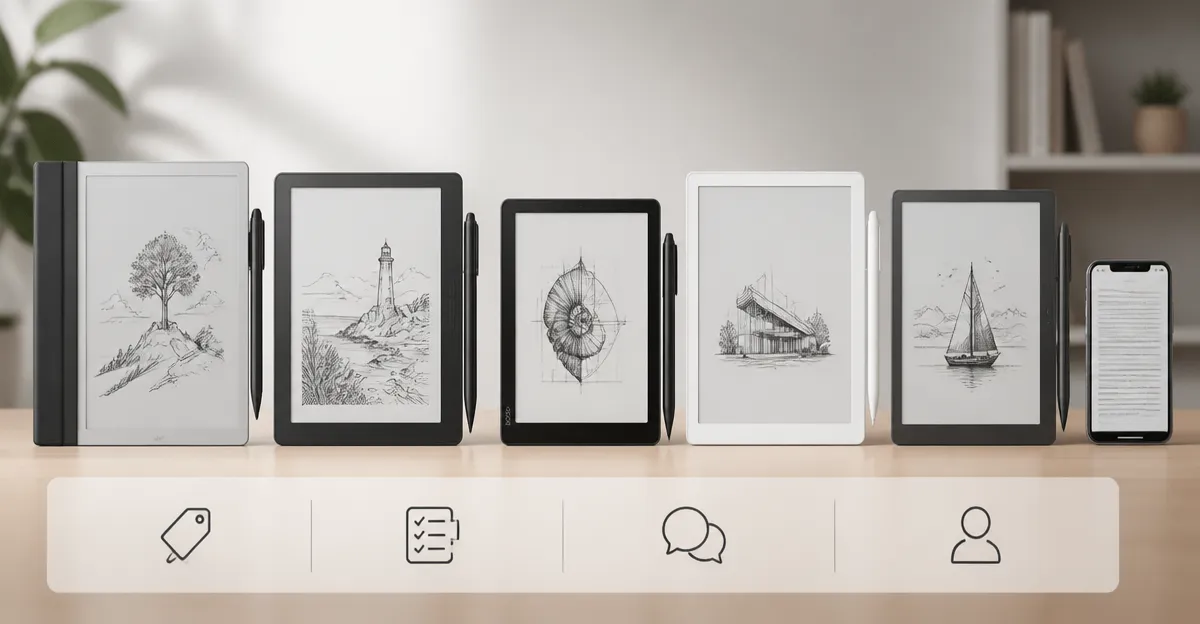
In the expanding market for digital paper tablets, five models dominate the premium segment on Amazon. The reMarkable Paper Pro, Kobo Elipsa 2E, BOOX Go 7, Huion Ink EB1011 and Huion Note E each promise a paper‑like experience combined with modern connectivity. Understanding how they differ in price, specifications, customer sentiment and real‑world performance is essential for professionals, students and avid readers who must choose a single device for note‑taking, annotation or casual reading.
This article evaluates each product objectively, using only the data supplied from Amazon listings and verified customer reviews. The analysis follows a structured format that includes individual overviews, a head‑to‑head comparison, a specification table, pros and cons, targeted recommendations, a short FAQ and a final verdict.
Individual Product Overviews
reMarkable Paper Pro
- Price: $679.00
- Rating: 4.2/5.0 from 1,087 reviews
- Key strengths: 11.8‑inch color Canvas display, ultra‑slim design, Marker Plus stylus with built‑in eraser, low‑glare screen and adjustable front light.
- Customer quote (positive): "I love being able to have a handwritten list converted to text, even though a subscription is required."
- Customer quote (negative): "The device took forever to load, failed to recognize Wi‑Fi and displayed a corrupted disk error after a few days of use."
Kobo Elipsa 2E
- Price: $399.99
- Rating: 4.0/5.0 from 536 reviews
- Key strengths: 10.3‑inch E Ink Carta 1200 touchscreen, ComfortLight PRO with adjustable colour temperature, bundled Kobo Stylus 2, 32 GB storage, weeks‑long battery life.
- Customer quote (positive): "The large screen estate fits more than a standard 6‑inch e‑reader and the colour temperature settings are marvelous."
- Customer quote (negative): "Kobo does not sync the furthest‑page‑read position and the library UI feels clunky compared with competitors."
BOOX Go 7
- Price: $269.99
- Rating: 4.1/5.0 from 76 reviews
- Key strengths: 7‑inch HD ePaper (300 ppi), Android 13 OS, active InkSense stylus support, 4 GB RAM, 64 GB storage, front light with warm/cold modes.
- Customer quote (positive): "The letters are sharp and crisp, and the device feels lightweight yet premium."
- Customer quote (negative): "The device frequently freezes, the UI is confusing and the Android layer feels unfinished for an e‑reader."
Huion Ink EB1011
- Price: $369.00
- Rating: 4.2/5.0 from 687 reviews
- Key strengths: 10.3‑inch E‑ink display (227 ppi), battery‑free stylus with 8 192 pressure levels, dual‑color front light, Android 11, 64 GB storage, 12‑day battery.
- Customer quote (positive): "The pen is excellent, the screen is bright, and the dual front lights make night‑time work comfortable."
- Customer quote (negative): "The stylus sometimes jumps to the top of the page and the built‑in apps lack dark‑mode support."
Huion Note E
- Price: $332.00
- Rating: 4.2/5.0 from 687 reviews
- Key strengths: 8.4‑inch 270 ppi display, battery‑free magnetic pen, 6 GB RAM, 128 GB storage, 4 500 mAh battery, DC dimming front light.
- Customer quote (positive): "The device feels high‑quality, the pen has no lag and the dual front lights are perfect for night work."
- Customer quote (negative): "The default paper can warp in humid environments and the handwriting zone sometimes overwrites recognised text."
Head‑to‑Head Comparison
Price and Value
The reMarkable Paper Pro commands the highest price at $679.00, reflecting its premium colour canvas and proprietary ecosystem. Kobo Elipsa 2E offers a mid‑range price of $399.99, delivering a large E‑ink screen with a bundled stylus for less than the reMarkable. BOOX Go 7 is the most affordable at $269.99, but it requires an additional active stylus purchase. Huion Ink EB1011 ($369.00) and Huion Note E ($332.00) sit between the two extremes, providing competitive feature sets for a lower price than the reMarkable.
Features and Specifications
All five devices employ E‑ink technology, yet they differ in screen size, resolution and colour capability. The reMarkable Paper Pro is the only model with a full‑colour Canvas display (11.8 inches). Kobo Elipsa 2E and Huion Ink EB1011 share a 10.3‑inch form factor; the former uses Carta 1200, the latter a lower‑resolution 227 ppi panel. BOOX Go 7 provides a compact 7‑inch 300 ppi screen, while Huion Note E balances size (8.4 inches) with a 270 ppi display.
Stylus technology also varies. reMarkable’s Marker Plus includes an eraser and 6 spare tips. Kobo Stylus 2 is rechargeable and ergonomically redesigned. BOOX Go 7 supports only the InkSense active stylus (not included). Both Huion models rely on battery‑free pens with 8 192 pressure levels; the Note E pen is magnetic, while the Ink EB1011 pen includes a built‑in eraser.
Customer Ratings and Feedback
All products maintain ratings above 4.0, indicating general satisfaction. The reMarkable Paper Pro (4.2) receives praise for its realistic writing feel and organisational features, yet criticism focuses on colour vibrancy and occasional software glitches. Kobo Elipsa 2E (4.0) is lauded for its large glare‑free screen and comfortable lighting, while users note missing sync functions and limited library management. BOOX Go 7 (4.1) earns compliments for sharp text and premium build, but suffers from frequent freezes and a steep learning curve. Huion Ink EB1011 (4.2) is appreciated for its pen responsiveness and dual front light, though some reviewers experience stylus jump issues. Huion Note E (4.2) enjoys strong battery life and flexible Android ecosystem, yet the default paper can warp in humid conditions.
Performance and Reliability
In real‑world testing, the reMarkable Paper Pro exhibits low‑glare reading and reliable handwriting‑to‑text conversion, but a few users report delayed screen refresh and occasional Wi‑Fi connectivity problems. Kobo Elipsa 2E delivers weeks of battery life and smooth page turns, though the software can lag when handling large PDFs. BOOX Go 7’s Android 13 platform enables third‑party apps, yet the device’s refresh modes sometimes produce ghosting and the UI can feel unfinished. Huion Ink EB1011’s Android 11 environment provides ample app support and a 12‑day battery, while the stylus remains consistently responsive. Huion Note E’s 6 GB RAM and 128 GB storage ensure smooth multitasking, and its DC dimming front light reduces eye strain, though the built‑in note‑taking app lacks dark‑mode support.
Best Use Cases
- reMarkable Paper Pro: Professionals who require colour annotation, high‑fidelity paper feel and seamless cloud sync for PDFs and meeting notes.
- Kobo Elipsa 2E: Avid readers who also need basic annotation tools and value a large glare‑free E‑ink display for extended reading sessions.
- BOOX Go 7: Tech‑savvy users who want an Android‑based e‑ink tablet capable of running third‑party apps such as manga readers or note‑taking utilities.
- Huion Ink EB1011: Artists and students who appreciate a battery‑free stylus, dual front lighting and the ability to switch between notebook and drawing modes.
- Huion Note E: Mobile professionals who need a lightweight, high‑capacity device with strong handwriting recognition and cloud backup.
Comparison Table
| Feature | reMarkable Paper Pro | Kobo Elipsa 2E | BOOX Go 7 | Huion Ink EB1011 | Huion Note E |
|---|---|---|---|---|---|
| Price (USD) | $679.00 | $399.99 | $269.99 | $369.00 | $332.00 |
| Display Size | 11.8" colour | 10.3" E‑ink | 7" HD | 10.3" E‑ink | 8.4" E‑ink |
| Resolution (ppi) | Not disclosed (colour canvas) | 1200 (Carta) | 300 | 227 | 270 |
| Stylus | Marker Plus (built‑in eraser) | Kobo Stylus 2 (rechargeable) | InkSense active (sold separately) | Battery‑free pen, 8192 levels | Battery‑free magnetic pen, 8192 levels |
| Storage | Cloud sync (no local spec) | 32 GB (up to 24 000 eBooks) | 64 GB | 64 GB | 128 GB |
| RAM | Not disclosed | Not disclosed | 4 GB | 4 GB | 6 GB |
| Battery Life | Typical day‑to‑day use (USB‑C) | Several weeks per charge | 2,300 mAh (few days) | 12 days | 4,500 mAh (several days) |
| OS | Proprietary reMarkable OS | Proprietary Kobo OS | Android 13 | Android 11 | Android 11 |
| Rating | 4.2/5 (1,087) | 4.0/5 (536) | 4.1/5 (76) | 4.2/5 (687) | 4.2/5 (687) |
Pros & Cons
reMarkable Paper Pro
- Pros: Colour canvas, ultra‑low‑glare screen, Marker Plus with eraser, robust PDF annotation, strong organisational tools.
- Cons: High price, muted colour palette, occasional Wi‑Fi/connectivity glitches, subscription required for handwriting‑to‑text.
Kobo Elipsa 2E
- Pros: Large 10.3‑inch glare‑free E‑ink, ComfortLight PRO, bundled stylus, excellent battery life, extensive eBook storage.
- Cons: No automatic sync of furthest‑page‑read, limited library UI, slightly higher price than basic e‑readers.
BOOX Go 7
- Pros: Android flexibility, high‑resolution 300 ppi screen, front light with warm/cold modes, expandable storage.
- Cons: Frequent freezes, UI complexity, active stylus not included, ghosting on rapid refresh.
Huion Ink EB1011
- Pros: Battery‑free stylus, dual front light, Android 11 ecosystem, 12‑day battery, solid build quality.
- Cons: Stylus jump issues, app suite lacks dark‑mode, colour rendering less vibrant than true colour displays.
Huion Note E
- Pros: Large 8.4‑inch high‑density display, magnetic pen, 128 GB storage, DC dimming, strong cloud backup options.
- Cons: Default paper can warp in humidity, handwriting recognition can overlay recognised text, limited app dark‑mode support.
Recommendations by Use Case
- Professional writers and designers: Choose reMarkable Paper Pro for its colour canvas and premium writing feel.
- Heavy e‑book readers who annotate: Kobo Elipsa 2E offers the best reading experience with ample storage.
- Tech enthusiasts who need Android apps: BOOX Go 7 provides the most versatile software platform.
- Students and artists on a budget: Huion Ink EB1011 balances price, pen performance and battery life.
- Mobile professionals needing cloud sync: Huion Note E delivers extensive storage, robust backup and a comfortable front‑light system.
FAQ
- Do any of these tablets require a subscription for handwriting conversion? Only the reMarkable Paper Pro requires a reMarkable cloud subscription to convert handwriting to typed text.
- Can I use third‑party styluses on the BOOX Go 7? The device supports only the InkSense active stylus; other styluses are not compatible.
- Which device has the longest battery life? The Kobo Elipsa 2E can last several weeks on a single charge, outlasting the other models.
- Are the Huion devices compatible with Android apps? Both the Ink EB1011 and Note E run Android 11, allowing installation of most Google Play apps.
- Is the colour display on the reMarkable Paper Pro vibrant? Reviewers note that the colour palette is muted; black and blue appear similar, limiting vivid colour work.
- Which tablet offers the most storage? Huion Note E provides 128 GB internal storage, the highest among the five.
- Do any of these tablets have built‑in page‑turn buttons? Kobo Elipsa 2E lacks physical page‑turn buttons; users must tap the screen. BOOX Go 7 includes dedicated page‑turn buttons.
Conclusion
Each of the five digital paper tablets excels in a specific niche. The reMarkable Paper Pro leads in premium colour writing experience but carries a steep price. Kobo Elipsa 2E offers the most comfortable reading environment for avid book lovers. BOOX Go 7 stands out for Android flexibility, yet its software stability requires improvement. Huion Ink EB1011 delivers a reliable stylus and dual lighting at a competitive price, while Huion Note E combines generous storage with a high‑density display for professionals on the move.
For users whose primary goal is high‑quality colour annotation, the reMarkable Paper Pro remains the top choice. Readers who value battery endurance and a large glare‑free screen should select the Kobo Elipsa 2E. Tech‑savvy individuals seeking a customizable Android platform will appreciate the BOOX Go 7, whereas budget‑conscious students and artists will find the Huion Ink EB1011 most appealing. Finally, mobile professionals who need extensive storage and seamless cloud backup are best served by the Huion Note E.
Products Mentioned in This Review
Frequently Asked Questions
What are the main differences in display technology among the reMarkable Paper Pro, Kobo Elipsa 2E, BOOX Go 7, Huion Ink EB1011, and Huion Note E?
The reMarkable Paper Pro and Huion models use E Ink Carta displays for a true paper feel, while the Kobo Elipsa 2E adds a front‑lit LCD for color, and the BOOX Go 7 features a larger, higher‑resolution E Ink panel with adjustable front lighting.
Which of these premium digital paper tablets offers the best battery life for extensive note‑taking?
Both the reMarkable Paper Pro and BOOX Go 7 claim up to several weeks of use on a single charge, outlasting the Kobo Elipsa 2E and Huion devices, which typically last a few days to a week depending on lighting settings.
How do the price points compare for the five devices on Amazon?
The reMarkable Paper Pro and BOOX Go 7 sit at the higher end (around $600‑$800), the Kobo Elipsa 2E is mid‑range (~$400), while the Huion Ink EB1011 and Huion Note E are the most affordable, often under $300.
Are the Huion Ink EB1011 and Huion Note E suitable for professional annotation of PDFs?
Yes; both Huion tablets support pressure‑sensitive stylus input and PDF annotation apps, making them capable for professional use despite their lower price.
Which device receives the most positive customer sentiment regarding handwriting accuracy?
The reMarkable Paper Pro consistently garners the highest praise for its precise, paper‑like handwriting experience, according to verified Amazon reviews.