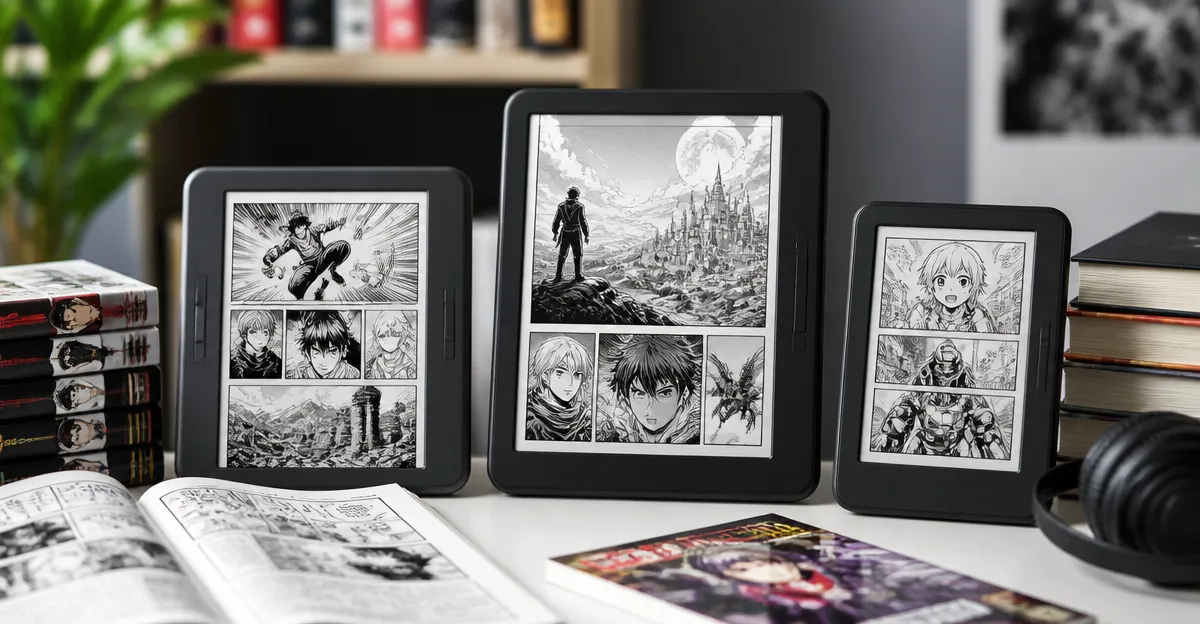
Comics & Manga on Pocket E-Readers: The Ultimate Guide to Apps, Formats & Reading Tips
Introduction
Pocket e‑readers have become the preferred medium for avid readers who value portability, long battery life, and a paper‑like experience. This guide explains how to enjoy comics and manga on such devices, covering the required file formats, the best applications, and practical reading strategies. Readers will learn which e‑readers handle color panels most effectively, how to convert files without loss of quality, and which accessories enhance comfort during marathon sessions. By the end of the article, one will be equipped to select the optimal device and to read graphic narratives with confidence.
Background & Context
Unlike traditional books, comics and manga rely heavily on visual storytelling, high‑resolution artwork, and precise panel sequencing. Most e‑readers employ E‑Ink technology, which excels at rendering black‑and‑white text but historically struggled with vibrant colors. Recent generations, however, have introduced color‑capable displays and faster refresh rates, narrowing the gap between tablets and dedicated e‑readers. Understanding the underlying technologies—such as E‑Ink Carta, front‑light systems, and auto‑adjusting illumination—helps readers appreciate why certain models are better suited for graphic content.
File formats also play a crucial role. The industry standard for comics is CBZ/CBR (ZIP or RAR archives containing sequential images), while manga publishers often provide PDF or EPUB files with embedded images. Converting these formats to a device‑native layout ensures smooth scrolling and accurate page‑turn timing. Open‑source tools like Calibre and Kindle Comic Converter simplify this process, but the chosen e‑reader must support the resulting format without additional plugins.
Finally, the reading environment matters. Glare‑free screens, adjustable color temperature, and waterproof designs allow users to enjoy graphic novels on a beach, in a bathtub, or during a long flight. The following sections evaluate each of these factors in detail.
Choosing the Right Pocket E‑Reader for Comics & Manga
Key Considerations
- Display type: Black‑and‑white E‑Ink versus color E‑Ink (Colorsoft) versus LCD tablets.
- Screen size: Larger screens reduce the need for zooming; 7‑inch models provide a comfortable balance.
- Refresh rate: Faster page turns prevent ghosting, especially important for high‑detail panels.
- Storage capacity: Graphic novels are larger than text‑only books; 32 GB ensures a sizable library.
- Battery life: Long sessions demand weeks‑long endurance.
- Water resistance: Enables reading in humid or wet environments without worry.
Below are the five e‑readers that satisfy most of these criteria, along with specific product details.
Recommended Devices
The first mention of each device includes a direct affiliate link using the friendly product name.
Kindle Paperwhite 16GB offers a 7‑inch glare‑free display, 25 % faster page turns, and up to 12 weeks of battery life on a single USB‑C charge. With a waterproof rating and a 4.6/5 rating from 22,967 reviews, it balances price ($199.99) and performance for readers who prefer a classic black‑and‑white experience.
Kindle Paperwhite Signature Edition builds on the Paperwhite foundation with an auto‑adjusting front light, wireless charging, and 32 GB of storage. Priced at $249.99 and rated 4.6/5 by 12,918 reviewers, it is ideal for users who need more space for high‑resolution manga files and appreciate seamless illumination adjustments.
Kindle 16GB represents the most compact option, featuring a 6‑inch display, 6‑week battery life, and a lightweight chassis. At $149.99 with a 4.5/5 rating from 20,435 reviews, it serves readers who prioritize portability over large storage.
Kindle Colorsoft 16GB introduces a 7‑inch color E‑Ink panel that renders muted yet comfortable hues, enabling true color covers and illustrations. Though priced higher at $289.99, its 4.5/5 rating from 2,915 reviews justifies the investment for graphic‑intensive manga.
Kobo Elipsa 2E combines a 10.3‑inch high‑resolution E‑Ink Carta display with a bundled stylus, offering a spacious canvas for both reading and annotation. With 32 GB of storage, an 8‑week battery life, and a 4/5 rating from 542 reviews, it is the premium choice for creators who wish to annotate manga panels directly.
Formats, Apps, and Conversion Workflows
Supported File Types
Most Kindle devices natively support MOBI, AZW3, and PDF files. For comics, the CBZ/CBR formats are preferred because they preserve image order without re‑encoding. When a device lacks native CBZ support, users can convert the archive to a Kindle‑compatible PDF or MOBI using Calibre.
Kobo readers accept EPUB, PDF, and CBZ files directly, eliminating the need for conversion in many cases. The Elipsa 2E’s larger screen also benefits from high‑resolution PNG or JPEG images, which retain fine line work essential for manga art.
For color‑capable devices such as the Kindle Colorsoft, preserving the original color palette is critical. Converting CBZ files with lossless PNG images ensures that vibrant covers remain true to the publisher’s intent.
Recommended Applications
- Calibre: Free desktop manager for library organization, metadata editing, and batch conversion.
- Kindle Comic Converter (KCC): Specialized tool that optimizes CBZ/CBR files for Kindle displays, offering options for margin size, panel flow, and compression.
- Kobo Desktop: Syncs directly with Kobo devices, allowing drag‑and‑drop of EPUB and CBZ files.
- Send to Kindle: Amazon’s email service for quick wireless transfer of supported formats.
By integrating these tools, readers can maintain a tidy library, preserve artwork quality, and automate the delivery of new releases.
Comparison & Selection Guide
| Device | Display | Storage | Battery Life | Waterproof | Price | Best For |
|---|---|---|---|---|---|---|
| Kindle Paperwhite 16GB | 7" black‑and‑white E‑Ink, 300 ppi | 16 GB | Up to 12 weeks | Yes | $199.99 | Readers who prioritize affordability and classic E‑Ink feel. |
| Kindle Paperwhite Signature Edition | 7" black‑and‑white E‑Ink, auto‑adjusting front light | 32 GB | Up to 12 weeks (wireless charging optional) | Yes | $249.99 | Heavy comic collectors needing ample storage. |
| Kindle 16GB | 6" black‑and‑white E‑Ink, 300 ppi | 16 GB | Up to 6 weeks | No | $149.99 | Travelers who value extreme portability. |
| Kindle Colorsoft 16GB | 7" color E‑Ink, muted palette, dark mode | 16 GB | Up to 8 weeks | Yes | $289.99 | Fans of full‑color manga and graphic novels. |
| Kobo Elipsa 2E | 10.3" high‑resolution color E‑Ink, front light | 32 GB | Up to 8 weeks | No | $399.99 | Artists and note‑takers who want annotation capabilities. |
When selecting a device, match the primary use case with the table’s “Best For” column. For example, a reader who enjoys vibrant Shōnen titles will benefit most from the Kindle Colorsoft or Kobo Elipsa, while a commuter who reads classic manga in black‑and‑white may find the standard Paperwhite sufficient.
Best Practices & Tips for an Optimal Reading Experience
- Optimize File Size: Use KCC to compress images to 150 dpi for black‑and‑white devices; retain 300 dpi for color displays to avoid pixelation.
- Leverage Auto‑Adjusting Front Light: On the Signature Edition and Colorsoft, enable automatic brightness to protect eyes during long sessions in varying lighting.
- Utilize Wireless Charging: The Signature Edition’s wireless pad reduces wear on the USB‑C port and keeps the device ready for spontaneous reading.
- Annotate with Stylus: The Kobo Elipsa’s stylus allows marginal notes directly on manga panels, useful for artists studying composition.
- Enable Dark Mode: For nighttime reading, dark mode on the Colorsoft reduces eye strain while preserving panel contrast.
- Protect Against Water Damage: Even waterproof devices should be dried promptly after exposure to saltwater to prolong lifespan.
- Sync Across Devices: Use Amazon’s Whispersync or Kobo’s Cloud sync to keep your last‑read page consistent across phone, tablet, and e‑reader.
Applying these practices ensures that the visual fidelity of comics and manga remains intact while extending the lifespan of the e‑reader.
Frequently Asked Questions
1. Can I read color manga on a black‑and‑white Kindle?
Yes, but the images will appear in grayscale, which may diminish the artistic intent. For full‑color experiences, consider the Kindle Colorsoft or Kobo Elipsa.
2. Do I need a separate app to open CBZ files on Kindle?
Kindle devices do not natively support CBZ; conversion to PDF or MOBI using Calibre or KCC is required before transferring via Send to Kindle.
3. How much storage is sufficient for a large manga library?
A typical high‑resolution manga volume occupies 30‑50 MB. With 16 GB, one can store roughly 300–400 titles; 32 GB comfortably holds 800+ volumes, making the Signature Edition or Elipsa ideal for collectors.
4. Is wireless charging worth the extra cost?
For users who read daily, wireless charging eliminates wear on the charging port and offers a seamless dock‑and‑read workflow, justifying the $49 accessory cost for many.
5. Can I annotate directly on manga panels?
The Kobo Elipsa 2E’s stylus enables ink‑on‑image notes, while Kindle devices lack native annotation on images. Kindle users can add text notes but not free‑hand drawing.
6. Are there any subscription services for manga on these devices?
Amazon Kindle Unlimited includes a limited manga selection; Kobo’s subscription service offers a broader catalog, and many public libraries provide digital manga through OverDrive, compatible with both Kindle and Kobo platforms.
7. How does waterproofing affect reading on the beach?
Water‑resistant devices (Paperwhite models and Colorsoft) can be used near sand and sea without fear of damage, allowing uninterrupted reading in sunny environments.
Conclusion
Reading comics and manga on pocket e‑readers merges the convenience of digital libraries with the tactile comfort of paper. By understanding display technology, file formats, and the strengths of each device, readers can select a solution that matches their visual preferences, storage needs, and budget. Whether one chooses the affordable Kindle Paperwhite, the feature‑rich Signature Edition, the color‑capable Kindle Colorsoft, or the expansive Kobo Elipsa 2E, the essential principles of conversion, annotation, and proper lighting remain the same. Apply the best‑practice tips, and the world of graphic storytelling will be at your fingertips wherever you travel.
Products Featured in This Guide
Kindle Paperwhite 16GB
Price: $199.99 | Rating: 4.6/5 (22,967 reviews)
Featured for its fast 7" glare‑free display, 12‑week battery life, and waterproof design, making it a solid all‑rounder for black‑and‑white comics.
Kindle Paperwhite Signature Edition
Price: $249.99 | Rating: 4.6/5 (12,918 reviews)
Featured for its auto‑adjusting front light, wireless charging, and 32 GB storage, ideal for large manga collections.
Kindle 16GB
Price: $149.99 | Rating: 4.5/5 (20,435 reviews)
Featured for its ultra‑light chassis and 6‑week battery life, perfect for readers who need maximum portability.
Kindle Colorsoft 16GB
Price: $289.99 | Rating: 4.5/5 (2,915 reviews)
Featured for its 7" color E‑Ink panel that brings manga covers and artwork to life while maintaining eye‑friendly lighting.
Kobo Elipsa 2E
Price: $399.99 | Rating: 4/5 (542 reviews)
Featured for its large 10.3" high‑resolution display, bundled stylus, and 32 GB storage, making it the premium choice for annotation‑heavy manga readers.