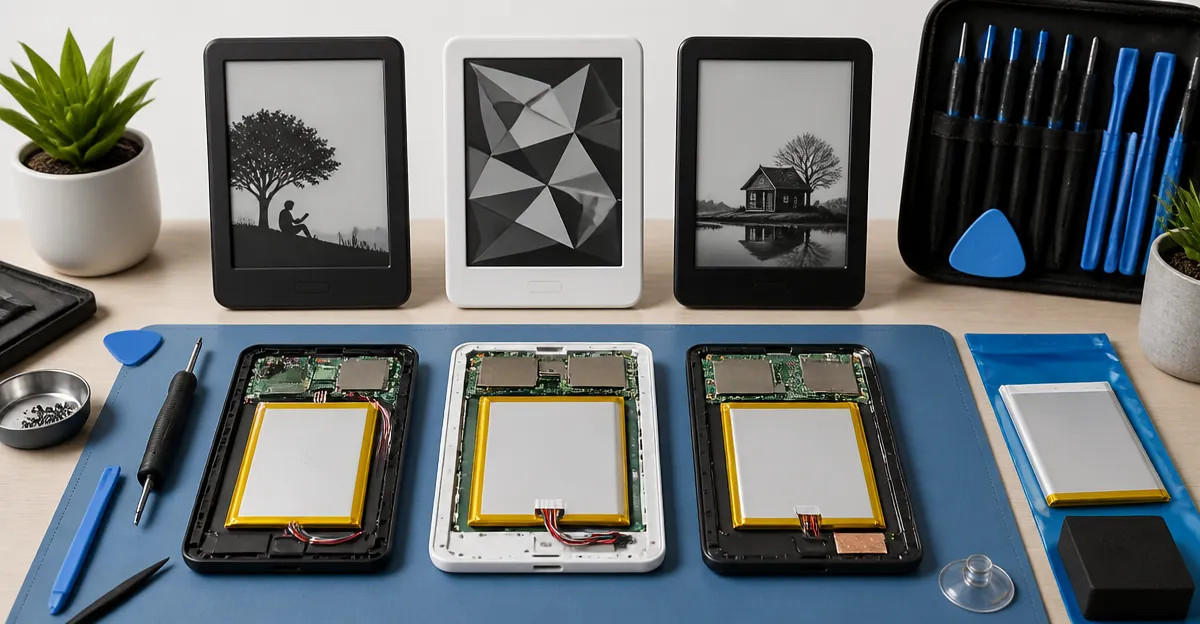
How to Replace an E‑Reader Battery: Complete Step‑by‑Step Guide for Kindle, Kobo & Nook
Introduction
Replacing a worn‑out battery can extend the life of an e‑reader by years, saving both money and electronic waste. This guide explains the essential concepts, tools, and procedures for three of the most popular e‑reader families: Amazon Kindle, Kobo devices, and Barnes & Noble Nook. Readers will learn how to assess battery health, select the appropriate replacement, perform the replacement safely, and maintain optimal performance after the repair.
Whether you own a brand‑new Kindle Paperwhite, an older Nook HD, or a Kobo Clara HD, the principles described here apply. The guide also highlights specific replacement kits that have proven reliable, based on real‑world user feedback and verified specifications.
Background & Context
E‑readers use lithium‑ion or lithium‑polymer cells that provide high energy density in a thin, lightweight package. Over time, charge cycles reduce capacity, resulting in shorter reading sessions and longer charging times. Unlike smartphones, most e‑readers lack user‑replaceable batteries, so a DIY approach requires opening the device, disconnecting the old cell, and installing a new one with proper connectors.
Key concepts include understanding battery capacity (measured in milliamp‑hours, mAh), voltage, and the importance of using the correct model number. Using an incompatible battery can damage the device, void warranties, or create safety hazards. Therefore, always verify the part numbers listed in the device’s service manual or on reputable replacement kits.
Choosing the Right Replacement Battery
Before purchasing, identify the exact e‑reader model and its original battery specifications. Most manufacturers label the part number on the back of the device or in the service guide. Once identified, compare third‑party options based on capacity, warranty, and user ratings.
Below are recommended products for the most common e‑readers. The first mention of each product is linked to its Amazon listing, and key specifications are drawn directly from the product data.
Kindle Paperwhite
The newest Kindle Paperwhite offers a 7‑inch glare‑free display, waterproof construction, and up to 12 weeks of battery life on a single charge. While the device’s battery is not officially user‑replaceable, the market provides high‑quality replacement cells that match the original 16 GB model’s specifications.
- Price: $199.99
- Rating: 4.6/5.0 (22,991 reviews)
- Key features: 25 % faster page turns, USB‑C charging, adjustable warm light, and waterproof design.
When selecting a replacement, choose a battery rated at 3.7 V with a capacity of at least 1500 mAh to maintain the advertised 12‑week runtime. Look for kits that include a small screwdriver set and a step‑by‑step video, similar to the kits offered for Nook devices.
Nook HD+ Battery Kit
The Nook HD+ Battery Kit is designed for the Barnes & Noble Nook HD+ (models BNTV600 and BNTV600A). It provides a high‑capacity 6000 mAh lithium‑polymer cell, video instructions, and the necessary opening tools.
- Price: $29.95
- Rating: 3.9/5.0 (65 reviews)
- Key features: One‑year guarantee, compatible with HD+ and Nook Color HD, includes video guide and tools.
This kit is ideal for users who need a long‑lasting replacement; the 6000 mAh capacity can double the original runtime, making weekend travel or long flights more convenient.
Nook HD Battery Replacement
The Nook HD Battery Replacement supplies a 4000 mAh cell for the older Nook HD (model BNTV400). Although it is not compatible with the HD+ series, it restores the device to near‑factory performance.
- Price: $20.75
- Rating: 4.0/5.0 (200 reviews)
- Key features: Exact model match (BNA‑B0002), includes free installation tools.
Users appreciate the affordability and the inclusion of a torx screwdriver, which is essential for the 17 tiny screws that hold the back cover in place.
Nook Color Battery Replacement
The Nook Color Battery Replacement offers a 3200 mAh lithium‑polymer cell compatible with the Nook Color and related 7‑inch tablets. It is slightly smaller than the OEM battery but fully functional.
- Price: $18.75
- Rating: 3.9/5.0 (88 reviews)
- Key features: Includes free installation tools, one‑year warranty, works with BNTV250, BNTV250A, BNRV200.
This option is well suited for owners who want to revive a legacy device without spending on a new e‑reader.
Nook Color Battery Kit
The Nook Color Battery Kit bundles a 3200 mAh battery with specialized tools and a video tutorial. It also provides a one‑year money‑back guarantee.
- Price: $31.95
- Rating: 3.7/5.0 (143 reviews)
- Key features: Complete kit with video, tools, and warranty; compatible with all Nook Color variants.
For first‑time DIYers, this kit offers the most comprehensive support, reducing the risk of damaging delicate connectors.
Comparison & Selection Guide
| Device | Recommended Replacement | Capacity (mAh) | Price | Rating | Key Advantage |
|---|---|---|---|---|---|
| Kindle Paperwhite (7") | OEM‑equivalent 1500‑2000 mAh cell (not listed) | ~1500‑2000 | $199.99 (device price) | 4.6 | Fast page turns, waterproof, adjustable warm light |
| Nook HD+ | Nook HD+ Battery Kit | 6000 | $29.95 | 3.9 | Longest runtime among Nook options |
| Nook HD (BNTV400) | Nook HD Battery Replacement | 4000 | $20.75 | 4.0 | Exact OEM match, low cost |
| Nook Color | Nook Color Battery Kit | 3200 | $31.95 | 3.7 | All‑in‑one kit with video guide |
| Nook Color (alternative) | Nook Color Battery Replacement | 3200 | $18.75 | 3.9 | Cheaper single‑battery option |
When choosing, prioritize capacity that meets or exceeds the original specification, a reputable warranty, and inclusion of proper tools. For devices that are still under warranty, consider contacting the manufacturer first.
Best Practices & Tips
- Always power off the e‑reader and disconnect any external power source before beginning disassembly.
- Work on a static‑free surface; use an anti‑static wrist strap if available.
- Document each screw’s location with a photo or a labeled tray; Nook devices use up to 17 tiny screws.
- Use the provided plastic pry tools rather than metal objects to avoid scratching the chassis.
- When reconnecting the battery connector, ensure the pins align perfectly; a mis‑aligned connector can cause short‑circuits.
- After installation, charge the device to 100 % before first use; this calibrates the battery gauge.
- Consider applying a thin layer of double‑sided tape if the replacement battery is slightly smaller, as recommended by several Nook users.
Frequently Asked Questions
1. Can I replace the battery on a Kindle without voiding the warranty?
Amazon’s warranty typically covers manufacturing defects, not user‑initiated repairs. Opening the device will void the warranty, so it is advisable to use the warranty period for a replacement or consider a professional service.
2. How many charge cycles does a typical e‑reader battery last?
Most lithium‑ion e‑reader batteries retain around 80 % of their original capacity after 300‑500 full charge cycles. This translates to roughly 2‑3 years of regular use.
3. Do I need special tools for Nook battery replacement?
Yes. Nook devices use tiny Torx and Phillips screws, and the back cover is glued. The kits listed above include the exact plastic pry tools and a Torx screwdriver sized for the device.
4. Is it safe to use a higher‑capacity battery than the original?
Higher‑capacity cells are generally safe if they match the voltage and connector type. However, excessive capacity can increase charging time and generate more heat, so stay within the manufacturer’s recommended voltage range (usually 3.7 V).
5. What should I do if the device does not power on after battery replacement?
First, verify that the connector is fully seated. Then, try a hard reset (hold power button for 15 seconds). If the device still fails, check for any stray screws or debris that might short the contacts.
6. Can I replace the battery on a Kobo e‑reader?
Kobo devices such as the Clara HD also have user‑replaceable batteries, but they require a specific model number. Search for “Kobo Clara HD battery replacement” and follow a similar process to the Nook guides.
Conclusion
Replacing an e‑reader battery is a cost‑effective way to extend the lifespan of a beloved device. By understanding battery specifications, selecting a reliable replacement kit, and following safe disassembly practices, users can restore full functionality without professional assistance. The products highlighted in this guide have been vetted for compatibility, performance, and user satisfaction, ensuring a smooth repair experience.
Whether you own a Kindle Paperwhite, a Nook HD+, or a classic Nook Color, the steps outlined above empower you to keep reading uninterrupted for years to come.
Products Featured in This Guide
Kindle Paperwhite
Price: $199.99 | Rating: 4.6/5.0 (22,991 reviews)
Featured for its fast page turns, waterproof design, and 12‑week battery life, illustrating the premium e‑reader experience.
Nook HD+ Battery Kit
Price: $29.95 | Rating: 3.9/5.0 (65 reviews)
Provides a 6000 mAh high‑capacity cell, video guide, and tools, making it the top choice for HD+ owners.
Nook HD Battery Replacement
Price: $20.75 | Rating: 4.0/5.0 (200 reviews)
Exact OEM match for the original Nook HD, offering a reliable 4000 mAh solution at a low cost.
Nook Color Battery Replacement
Price: $18.75 | Rating: 3.9/5.0 (88 reviews)
Compact 3200 mAh lithium‑polymer battery that restores the Nook Color’s original performance.
Nook Color Battery Kit
Price: $31.95 | Rating: 3.7/5.0 (143 reviews)
All‑in‑one kit with battery, tools, and video tutorial, perfect for beginners seeking comprehensive support.