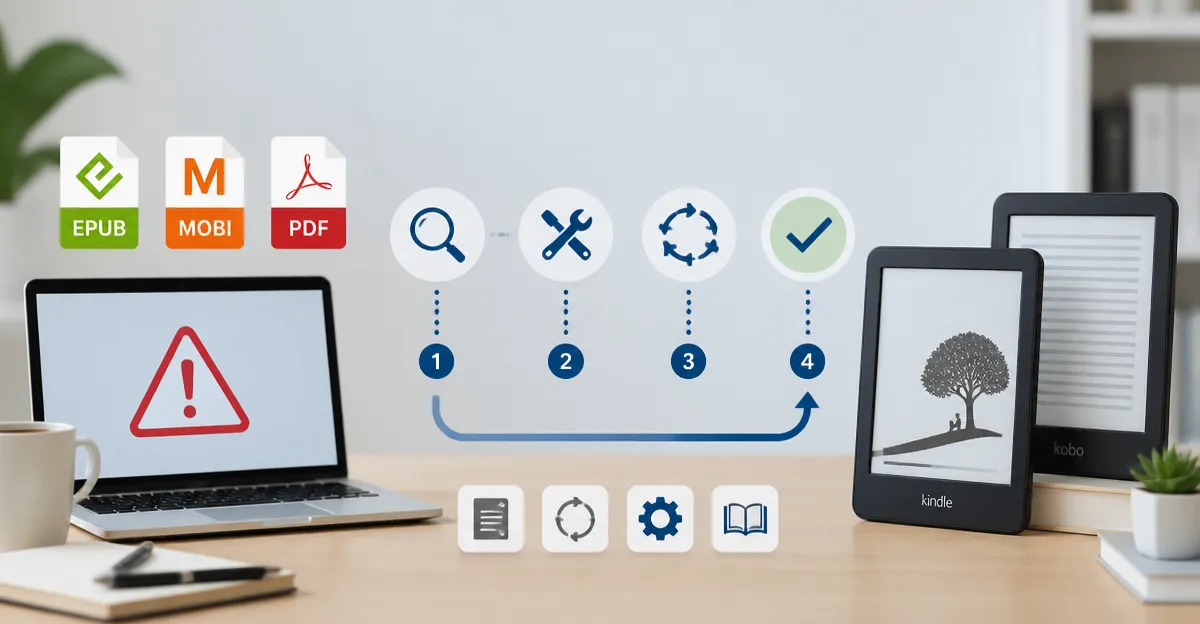
How to Troubleshoot E‑Reader File Format Errors: Fix EPUB, MOBI & PDF Compatibility
Introduction
One will discover how to identify and resolve common file format errors that prevent e‑books from displaying correctly on modern e‑readers. The guide explains why format mismatches occur, how to convert files safely, and which accessories simplify the workflow. By following the steps, the reader will reduce frustration, preserve battery life, and enjoy a seamless reading experience across Kindle and Kobo devices.
Understanding the underlying causes of EPUB, MOBI and PDF incompatibilities is valuable because it empowers one to maintain a personal library without relying on vendor‑specific ecosystems. The techniques presented are applicable to both budget‑friendly and premium e‑readers, ensuring that the advice remains relevant regardless of one’s hardware choices.
What You’ll Need
- A reliable e‑reader for testing (see product recommendations below).
- A computer running Windows, macOS or Linux.
- Conversion software such as Calibre (free) or a paid alternative.
- USB‑C cable or wireless charger compatible with the chosen e‑reader.
- Optional cloud storage for backup copies.
Step 1: Identify the File Type and Error Source
One should begin by confirming the exact file extension of the problematic e‑book. EPUB files are based on HTML5 and are widely supported, whereas MOBI files are proprietary to Amazon and may contain DRM. PDF files retain fixed layouts but often lack reflow, which can cause rendering glitches on e‑ink screens.
If the e‑reader displays a blank page, garbled text, or an error message, one must note the wording of the message. Kindle devices typically report "Unsupported file format" while Kobo devices may show "File cannot be opened". Recording this information will guide the conversion process later.
At this stage, it is useful to have a device that clearly reports errors. The Kindle Paperwhite provides a clean interface that highlights unsupported files without additional notifications, making diagnosis straightforward.
The Kindle Paperwhite features a 7‑inch glare‑free display, waterproof construction, and up to 12 weeks of battery life on a single charge. It is priced at $199.99 and holds a rating of 4.6 out of 5 based on 22,724 reviews, indicating strong reliability for testing purposes.
Step 2: Convert the File to a Compatible Format
Once the error source is known, one should convert the e‑book to a format native to the target device. For Kindle models, MOBI or the newer AZW3 formats are optimal; for Kobo devices, EPUB is preferred. Conversion tools such as Calibre allow batch processing and preserve metadata.
When converting, ensure that the output settings match the device specifications. For example, set the output profile to "Kindle Paperwhite" in Calibre to generate a MOBI file with appropriate font sizing. For Kobo, select the "Kobo" profile to retain EPUB features such as embedded fonts.
If one prefers a premium conversion experience with faster processing and wireless charging convenience, the Kindle Paperwhite Signature offers auto‑adjusting front light and wireless charging via a compatible dock. This model reduces the need for manual brightness adjustments during lengthy conversion sessions.
The Signature Edition provides 32 GB of storage, a price of $249.99, and a rating of 4.6 out of 5 from 12,786 reviewers. Its larger capacity is advantageous when handling extensive libraries of converted files.
Step 3: Transfer the Converted File to the E‑Reader
After conversion, one must move the file to the e‑reader. The simplest method is a direct USB‑C connection. Connect the e‑reader to the computer, locate the "Documents" folder, and drag the file into the appropriate directory. Eject the device safely before disconnecting.
For users who prefer a cord‑free workflow, the Signature Edition supports wireless charging docks that often include built‑in file transfer capabilities through Bluetooth or Wi‑Fi. Pairing the device with a wireless charger eliminates the need to handle cables, which can be beneficial for frequent transfers.
Kobo devices accept drag‑and‑drop transfers as well, but they also support side‑loading via a micro‑USB or USB‑C cable. The Kobo Clara is a compact 6‑inch e‑reader that excels at handling EPUB files. Its lightweight design and comfortable grip make it ideal for testing converted EPUBs on the go.
The Kobo Clara is priced at $159.99, carries a rating of 4.5 out of 5 from 633 reviews, and offers waterproof IPX8 protection, ensuring durability during field testing.
Step 4: Adjust Device Settings for Optimal Rendering
Once the file resides on the e‑reader, one should verify that display settings are configured correctly. On Kindle devices, enable "Page Refresh" to reduce ghosting, and adjust the front‑light temperature to a warmer tone for reduced eye strain. On Kobo devices, use the ComfortLight PRO feature to automatically shift the colour temperature based on ambient lighting.
If the e‑book still appears distorted, one can experiment with font size, line spacing, and margin settings. Both Kindle and Kobo provide on‑screen menus for these adjustments, allowing real‑time preview of changes.
For users who frequently annotate colour‑rich content such as graphic novels, the Kobo Libra Colour offers a 7‑inch colour E‑Ink display and stylus compatibility. The stylus enables precise highlighting and note‑taking, which can be useful when troubleshooting layout issues in colour EPUBs.
The Libra Colour retails for $259.99, holds a rating of 4.4 out of 5 from 615 reviewers, and includes waterproof IPX8 protection. Its larger screen provides a clearer view of colour details, aiding in the identification of rendering problems.
Step 5: Verify DRM Status and Use Authorized Accounts
Digital Rights Management (DRM) can prevent a file from opening on a device that is not authorized. One should confirm whether the source e‑book is DRM‑protected. Kindle books purchased from Amazon are typically locked to the purchaser’s Amazon account, while Kobo books may contain Adobe DRM.
If DRM is present, one must either download the book directly onto the target device using the official store app, or employ a legally permitted method to remove DRM for personal use. Tools such as DeDRM plugins for Calibre can assist, but one must ensure compliance with local copyright laws.
When managing a personal library across multiple platforms, the Kobo Clara Colour provides flexibility because it supports both EPUB and PDF without requiring a proprietary ecosystem. Its colour display enhances the experience of reading illustrated books, while its ComfortLight PRO reduces blue‑light exposure.
The Clara Colour is priced at $179.99, carries a rating of 4.5 out of 5 from 263 reviews, and includes waterproof protection, making it a versatile tool for cross‑platform testing.
Tips & Pro Tips
- Always keep a backup of the original file before conversion; this prevents data loss if the conversion process corrupts metadata.
- Use the highest quality source file available; low‑resolution PDFs often result in unreadable text after conversion.
- When converting large PDFs, split the document into chapters to improve processing speed and reduce memory usage.
- Enable "Auto‑adjust front light" on the Kindle Paperwhite Signature to maintain optimal brightness during prolonged troubleshooting sessions.
- Utilise the Kobo Libra Colour’s stylus for annotating problem areas directly on the screen; this visual feedback speeds up diagnosis.
Troubleshooting Common Problems
| Problem | Possible Cause | Solution |
|---|---|---|
| Blank pages after conversion | Incorrect output profile | Re‑convert using the device‑specific profile in Calibre. |
| Garbled characters | Wrong character encoding | Select UTF‑8 encoding during conversion. |
| File does not appear in library | File placed in wrong folder | Place MOBI files in the "documents" folder on Kindle; place EPUB files in the "Kobo" folder on Kobo. |
| Battery drains quickly after loading PDF | PDF requires high backlight | Convert PDF to EPUB where possible, or reduce backlight brightness. |
Conclusion
One has now learned how to diagnose file format errors, convert e‑books to compatible formats, transfer them securely, and adjust device settings for optimal readability. By employing the recommended tools, the troubleshooting process becomes efficient and repeatable. Maintaining a well‑organized digital library ensures that one can enjoy reading without interruption, regardless of the e‑reader in use.
Future readers are encouraged to experiment with the workflow, adapt it to new devices, and share feedback with the community. Continuous improvement of the process will keep one ahead of emerging format challenges.
Products Mentioned in This Guide
Frequently Asked Questions
Why does an EPUB file sometimes fail to open on my Kindle?
Kindles only support MOBI/AZW formats, so an EPUB must be converted or sent via Amazon's Send‑to‑Kindle service.
How can I convert a MOBI file to EPUB without losing formatting?
Use Calibre’s “Convert books” feature and enable the “Preserve layout” option to retain most styles.
What are common PDF issues on e‑readers and how to fix them?
PDFs may have fixed page sizes or heavy graphics; re‑flow the PDF with tools like Adobe Acrobat or convert to EPUB for better scaling.
Which software tools are best for batch‑converting e‑book formats?
Calibre (free) and Kindle Previewer (free) handle bulk conversions, while paid options like Epubor offer a more streamlined UI.
Do I need a special cable or settings to transfer converted files to my e‑reader?
A standard USB‑C or micro‑USB cable works; just enable file transfer mode on the device and copy the files to the appropriate folder.